TeCoEd (Teaching Computing Education)
  • Home
    • Freelance
    • Book
    • Downloading
  • Python
    • Learn Python >
      • Python Modules
    • PyGame Zero
    • Python Programs >
      • Higher or Lower
      • Magic Calculator
      • Password Checker
      • Python Pit
    • What's News App
    • Pixels to Cells
    • Python Mosaics
    • Python OCR
    • L-1-AM
    • Web Scraping >
      • Scraping Trains
    • Weather App
    • Snakes and Windows
    • Python Web Server >
      • Flask
    • Python Picks
  • Ras Pi
    • All About the Pi
    • Getting Started
    • Remote Desktop and VNC
    • Static IP Address
    • Sonic Pi >
      • 3.14
    • Twitter Feed >
      • Tweepy
    • Android & Pi >
      • Advanced Apps
      • Odds
    • A.I on the the Pi
    • CRON
    • Pick Your Own
  • Pi Hardware
    • Pi HATS >
      • Sense Hat Hacks
      • AstroPi HAT
      • Unicorn-HAT >
        • Unicorn Alphabet Disco
        • Uni Codes / Programs
      • Skywriter
      • Piano HAT
    • STS Pi
    • Pi Camera >
      • Pi-Cam, Python & Email >
        • Time Lapse
      • Pi Noir
    • Pipsta >
      • Flask, Input & Printers
    • Raspberry Pi Power >
      • Energenie IR power
    • Pibrella
    • Distance Sensor
    • LCD Screen
    • Pi-Tooth
    • Robot Arm
    • PiGlow
    • PiFM
    • Accelerometer
    • PiFace >
      • Installing PiFace >
        • Python Commands
  • Pi-Hacks
    • Drone Hacks
    • Pi Glue Gun Hack
    • Blinkt!
    • Sonic Pixels
    • R2D2
    • Get to the chopper
    • Astro Bird
    • Twitter Translator
    • Hacking a Robot
    • Nature_Box >
      • Best Nature Photos
    • Wearable Tech >
      • Project New York
      • P.N.Y Part 2 Health
      • P.N.Y Part 3 Games
      • P.N.Y Part 4 Translation
    • Dino-Tweet
    • Other Links
  • Pi-Hacks 2
    • The Joker
    • Hologram Machine
    • Google Vision: Camera Tell
    • Yoda Tweets
    • Pi Phone
    • Darth Beats
    • Twitter Keyword Finder
    • Crimbo Lights Hack
    • Xmas Elf
    • Halloween 2016
    • Halloween Hack 2015
    • Socrative Zombie
    • Voice Translation
    • The Blue-Who Finder
    • GPIO, Twitter
    • Pi Chat Bot >
      • Dictionary Definitions
    • PiGlow & Email
    • Pibrella Alarm System
    • SMS with Python >
      • Spooking a Mobile
  • Pi-Hacks 3
    • LED Dance Suit
    • Ferminal
    • Crypto Tracker
    • David Bowie
    • Lamp Prank >
      • TEST
    • Yoda FM
    • Retro Player
    • LED Pixel Art
    • TARDIS
    • Battleships
    • LED Board
    • Night Vision
    • Enviro+ Weather
  • Minecraft
    • Minecraft API
    • Minecraft Sweeper
    • PiGlove: Minecraft Power Up
    • Minecraft Photo-booth
    • Rendering Pixels
    • Speed Cube
    • Lucky Dip
  • Computing
    • Why Computing?
    • Can You Compute
    • micro:bit
    • Coding Resources
    • Learn to Code >
      • Coding with iPads
      • Apps Creation Tools
      • sKratchInn
      • Sound Editing
    • Cheat Sheets
    • Theory
    • HOUR OF CODING
    • BEBRAS Computing Challange
    • Computer Facts
    • Free Software and Links
  • Contact Me
  • Random Hacks
    • Movile

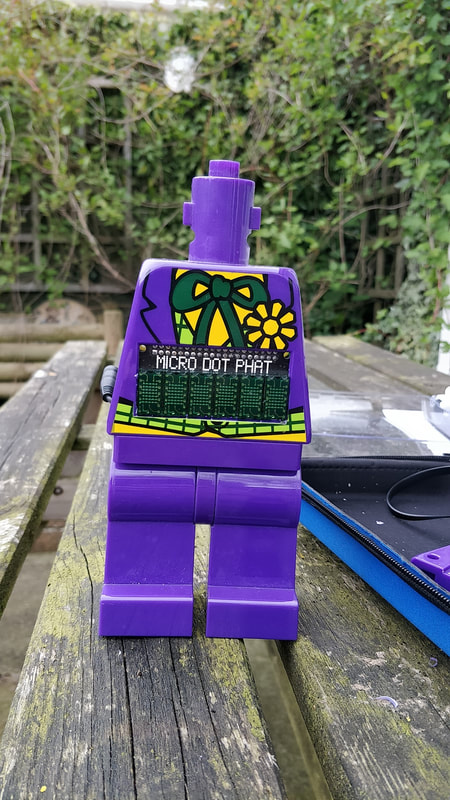
THE JOKER (Lego clock with a twist)


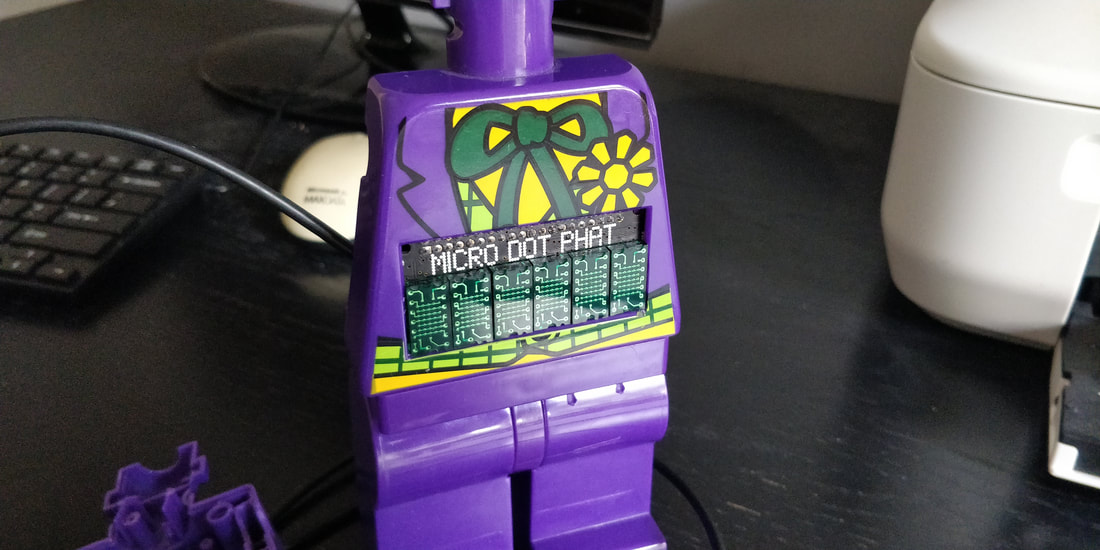
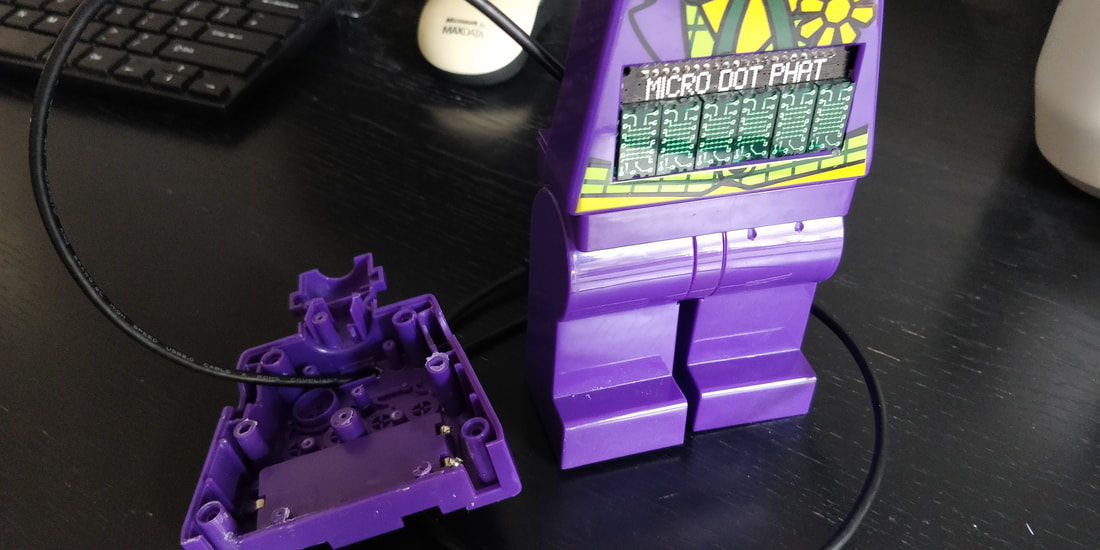
The Joker Clock is a not any standard clock.  Yes it tells the time making use of the Pimoroni Micro Dot pHAT LED Matrix Display which displays the time and various animations in a lovely neon green glow.  However, at random moments in time the Joker shouts out classic 'Joker style' quotes to scare anyone who may be around or trying to tell the time.  Then the clock display returns and it is, just a clock again.

Micro Dot pHAT 


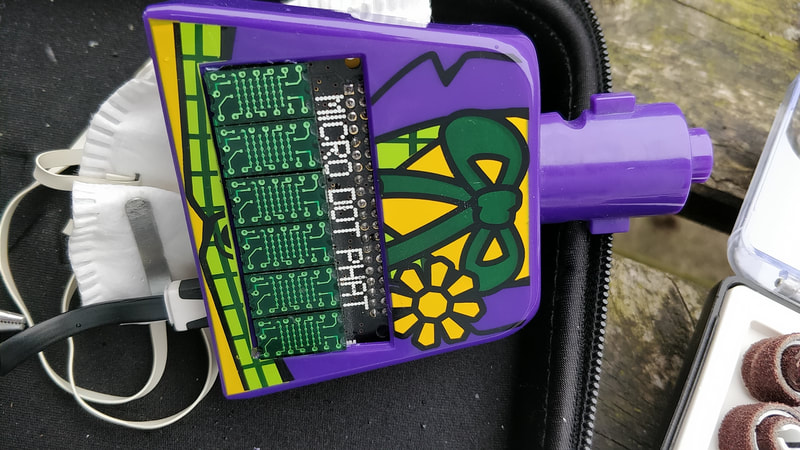
The project uses the Pimoroni Micro Dot which can be purchased here and is really easy to fit and install.  The great point about pHATs is that they are designed to fit perfectly on the Raspberry Pi GPIO pins but also, they are the exact size of the Lego Alarm clock module.   

In the Terminal window type the code:
curl https://get.pimoroni.com/microdotphat | bash

Once installed there are a number of starter programs to get you up and running, you can also read more about the code here. 

​Link to the code below
Picture

The Build


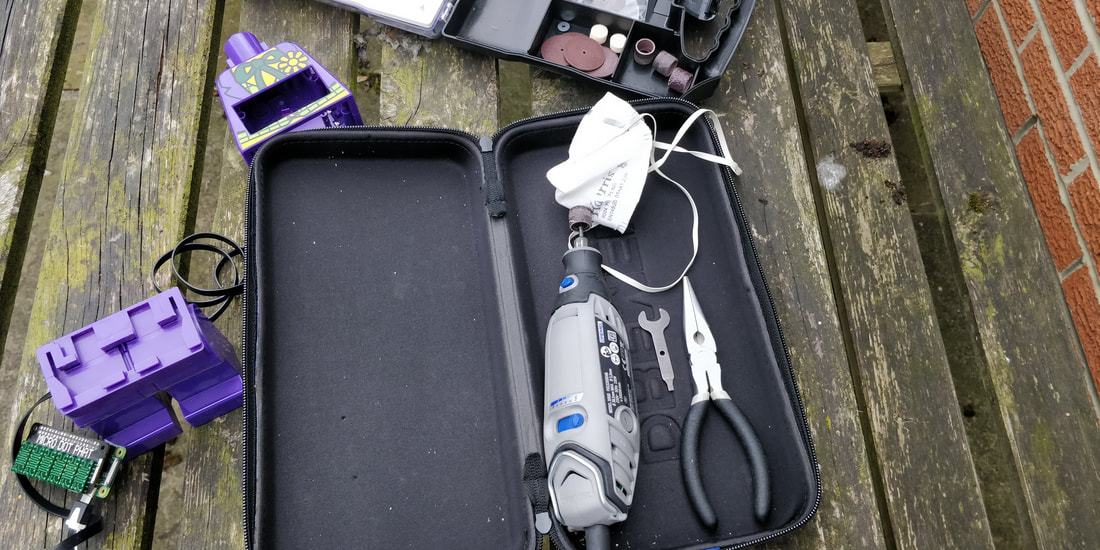
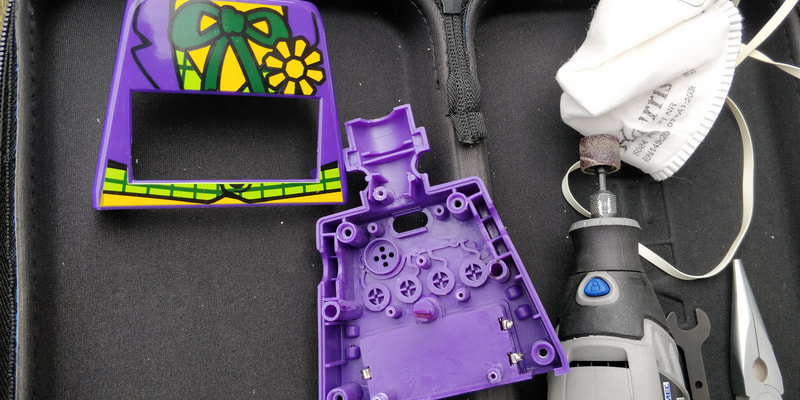
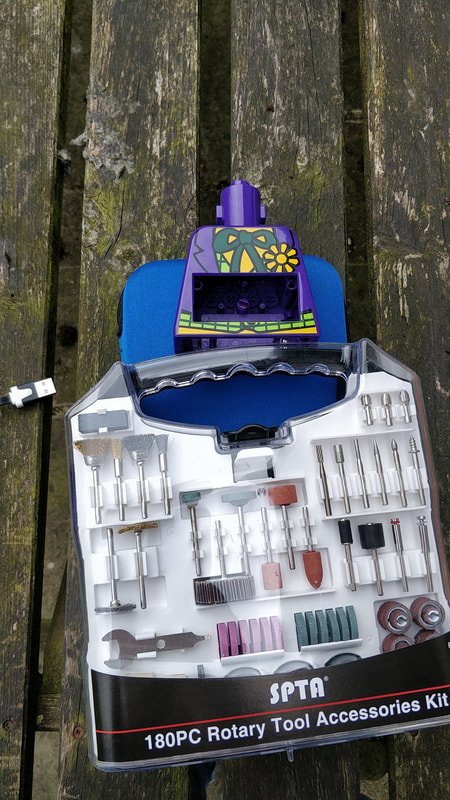
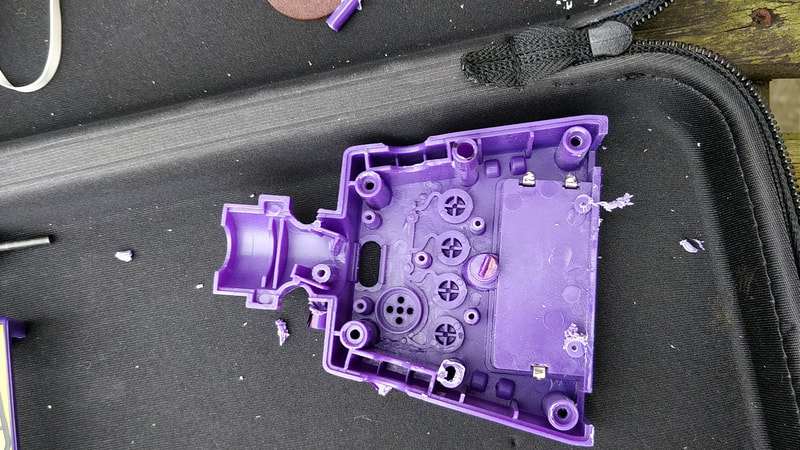
Off with his head!  Then simply strip the Joker down and remove the wires and components.  Several of the plastic supports need to be removed, time to get the Dremel out and Dremel away to make way for the pHAT.  
​
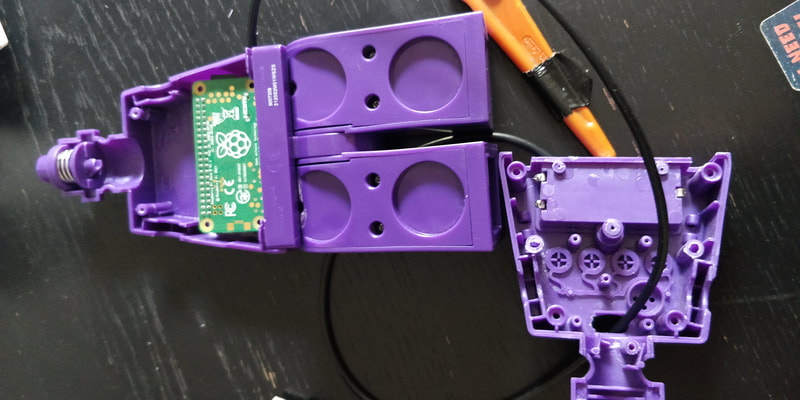
The Pi Zero W is perfect for this project as it has both WiFi and Bluetooth.  The WiFi is mainly used to keep the clock time update but is also useful, as the Lego clock is a sealed unit so to update the OS or the code you can use SSH or VNC connections.

Bluetooth is used to connect and stream to a speaker which means that the Joker's phrases can be loud.  It also overcomes the issue of trying to embed a speaker into the Lego clock when there is no space.

The original Lego clock has an ON / OFF switch in the back, this is removed and then made slightly larger so that the mico:USB cable can be passed through.  The other end can be connected to a USB Battery or USB plug and power the project.  Using a right angled USB cable enables the pHAT to sit flushed with the size of the housing.

Images of the build are shown below
​

The Code


The program code is fairly simple.  It uses the datetime function in Python to read the current time form the Pi OS.  This is then converted into a string and each element is split into a single symbol that is then displayed on the LED matrix.  

Next the program uses the random function to select a random number.  This number is used to trigger the Joker shouting out.  If the random number is less than 10 then one of twelve phrases is selected.  These are saved in a file as MP3 recordings.

The Pi uses mpg321 to play the MP3 file, which is transmitted to a Bluetooth speaker, the volume is nice and loud to give anyone bystanders a fright! 

​Then the program iterates again and updates and displays the current time.  A random number is selected  and checked to see if it triggers a Joker phrase.

A crontab is used to make the program run when the Pi is booted up, this makes the Joker 'standalone' with no need for a monitor.
Powered by Create your own unique website with customizable templates.